
How to Choose High Quality Laser Engraving
Table of Contents
- What Makes High Quality Laser Engraving
- A Laser Engraving Quality Checklist Before You Order
- Laser Engraving Materials Guide: Which Surfaces Deliver Best Results
- Laser Engraving Design File Requirements That Ensure Quality
- Evaluating Custom Laser Engraving Examples and Samples
- Questions to Ask Your Laser Engraving Service Provider
- Frequently Asked Questions
Last Updated: October 12, 2026
What Makes High Quality Laser Engraving
High quality laser engraving is the process of using a focused laser beam to precisely mark, cut, or etch designs onto materials with sharp detail, consistent depth, and clean edges. The difference between mediocre and exceptional work comes down to equipment precision, material knowledge, and design execution.
When you're evaluating high quality laser engraving, you're looking at several technical factors working together. The laser must have enough power to cut cleanly without scorching. The optics need to be aligned so every part of the design is equally sharp. The speed and intensity settings have to match the specific material you're using. Get any of these wrong, and you end up with blurry lines, uneven burns, or material damage.
A business card engraved poorly looks cheap and unprofessional. The same design executed with proper laser calibration looks premium and catches attention. That's the gap we're talking about.
The best way to spot quality is to examine finished samples closely. Look for:
- Crisp, clean edges with no fuzzy or scorched borders
- Consistent depth across the entire design
- Sharp detail in fine lines and small text
- No discolouration or heat damage around the engraved area
- Smooth transitions between engraved and unengraved surfaces
These details tell you whether the provider knows what they're doing or is just running jobs without paying attention.
A Laser Engraving Quality Checklist Before You Order
Before you commit to a laser engraving service, work through this checklist to protect yourself from poor results. This approach helps you identify potential issues before you've paid for a full order.
Start by asking for samples of work on the exact material you need engraved. Metal samples matter most if you're ordering metal business cards or dog tags. Wood samples if you're engraving wood.

Next, check the design file requirements. A professional service will give you clear specifications: file format (vector or raster), resolution, colour mode, and size constraints. If they're vague about this, they're not set up for quality control.
Ask about their proofing process. Do they show you a digital preview before production? Do they test-run your design on scrap material first? A service that skips these steps is cutting corners.
Check their turnaround times and production capacity. If they promise next-day delivery on complex custom work, they're either lying or rushing through it. Rushed jobs show visible quality loss. Ask specifically how long your order will take and whether they can handle your volume without compromising quality.
Verify they can work with customer-provided items. Some services only work with their own blanks. If you need to engrave something you've sourced elsewhere, existing equipment, branded merchandise, or special materials, confirm they'll accept it and handle it properly.
Finally, ask for references or testimonials from businesses like yours. If they've worked with e-commerce brands or film production companies on similar projects, that's proof they understand your standards and timeline.
| Quality Check | What to Look For | Red Flag |
|---|---|---|
| Sample quality | Crisp edges, consistent depth, sharp detail | Blurry lines, scorching, uneven burns |
| File requirements | Clear specs for format, resolution, size | Vague or no guidance given |
| Proofing process | Digital preview and test runs offered | No preview or test before full production |
| Turnaround time | Realistic timelines for your volume | Unrealistic promises of instant delivery |
| Material flexibility | Accepts customer-provided items | Only works with their own blanks |
| Experience | References from similar businesses | No portfolio or references available |
Laser Engraving Materials Guide: Which Surfaces Deliver Best Results
Not all materials engrave equally well. Understanding which surfaces give you the best results helps you choose the right product for your project and set realistic expectations.
Metal is the gold standard for high quality laser engraving. Stainless steel, aluminium, and anodised metals all engrave beautifully. The laser creates a permanent mark that won't fade or wear away. Our Premium Metal Business Cards and equipment engraving services both use metal because it delivers the professional look that stands out. Metal handles fine detail well, so you can engrave intricate logos and small text without losing clarity.

Wood engraves well but requires careful speed and power settings. Hardwoods like oak and walnut hold detail better than soft woods. The laser creates a dark burn mark on the surface. The trade-off is that wood can scorch if the settings aren't right, leaving dark halos around your design. A skilled operator knows how to dial this in.
Acrylic and plastic materials engrave but with limitations. The laser can create a frosted or white mark on clear acrylic, which looks clean. Coloured plastics often show uneven results because the laser interacts differently with different pigments. These materials work for simple designs but struggle with fine detail.
Leather engraves well for personalised gifts and pet accessories. The laser creates a brown burn mark that's permanent and won't rub off. Leather doesn't scorch as easily as wood, making it more forgiving to work with. It's ideal for dog tags and custom gift items where you want a natural, tactile feel.
Best materials for professional results:
- Stainless steel (highest quality, most durable)
- Aluminium (clean marks, fine detail possible)
- Wood (natural look, requires skilled settings)
- Leather (permanent, natural appearance)
- Anodised metals (excellent detail, professional finish)
Materials to approach cautiously:
- Clear acrylic (works but limited colour options)
- Coloured plastics (inconsistent results)
- Rubber and silicone (poor edge quality)
Laser Engraving Design File Requirements That Ensure Quality
The quality of your finished engraving depends partly on your design file. Provide the wrong file format or resolution, and even the best laser operator can't salvage the result.
Use vector files whenever possible. Vector graphics are built from mathematical lines and curves, so they scale infinitely without losing quality. Adobe Illustrator (.ai), PDF, or EPS files work best. Vector files let the laser follow crisp, clean paths with no pixelation.
If you must use raster files (like JPG or PNG), ensure the resolution is at least 300 DPI. Anything lower will look blurry and lose fine detail. Raster files are pixel-based, so low resolution shows as jagged edges and fuzzy lines.
Keep text at a reasonable size. Text smaller than 4mm becomes difficult to read after engraving, especially on metal. If your design includes text, confirm the minimum font size with your engraver before finalising the file.
Avoid thin lines thinner than 0.5mm. The laser has a minimum line width it can engrave cleanly. Lines thinner than this may disappear or look inconsistent. This is a technical limit, not a quality choice.
Provide files in black and white or greyscale, not colour. Laser engravers work in shades of grey (depth and intensity), not RGB colour. A colour file needs conversion, which can cause unexpected results if the conversion isn't done properly.
Check your file for embedded fonts. If your design uses custom fonts, embed them in the file or convert text to outlines. Otherwise, the engraver's software may substitute a different font, changing your design.
Premium Metal Business Cards →
File checklist before sending:
- Vector format preferred (AI, PDF, EPS)
- If raster: 300 DPI minimum
- Text no smaller than 4mm
- Lines no thinner than 0.5mm
- Greyscale or black and white only
- Fonts embedded or converted to outlines
Evaluating Custom Laser Engraving Examples and Samples
Requesting and examining samples is the most reliable way to judge whether a provider can deliver the quality you need. Don't skip this step, it's your insurance against disappointment.
Ask for samples on the exact material you're ordering. If you need 200 dog tags engraved, ask to see a finished dog tag from their recent work.

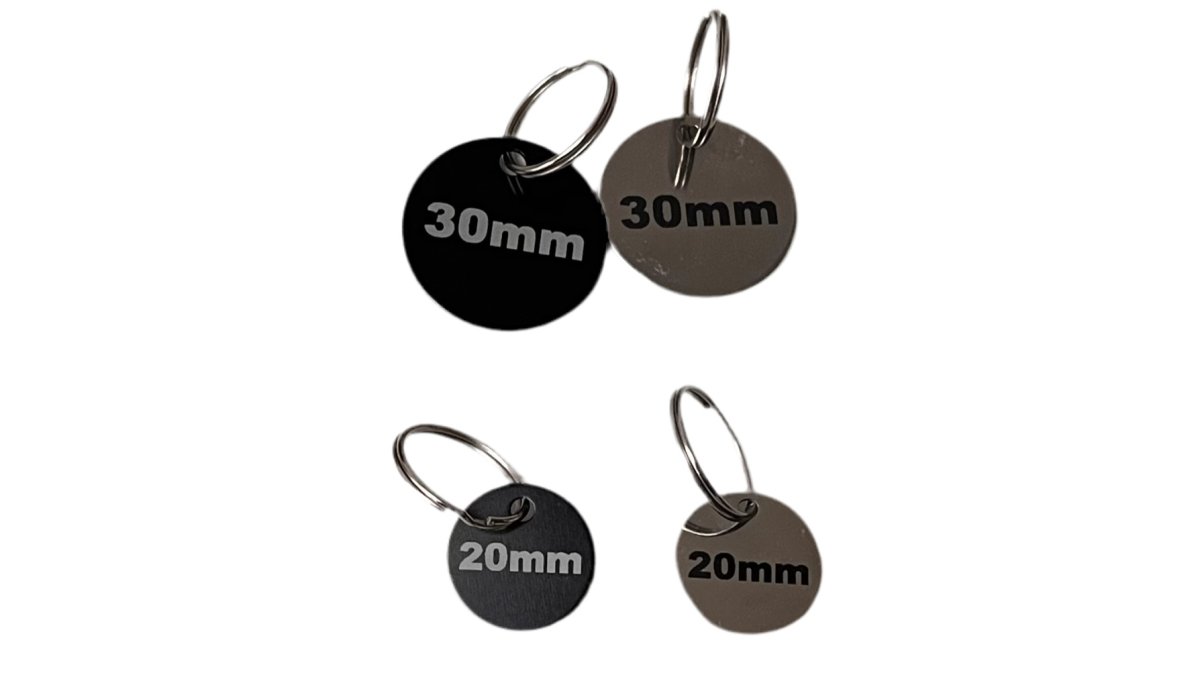
When you examine samples, look at these specific details:
Edge quality. Run your finger along the engraved edge. Is it smooth and clean, or does it feel rough or scorched? High quality engraving has smooth transitions. You shouldn't feel a sharp ridge or charred material.
Line consistency. If the design includes lines of varying thickness, do they all have the same depth and darkness?
Text clarity. Can you read small text easily? Are the letters sharp or fuzzy? Blurry text is a sign of poor focus or incorrect power settings.
Colour uniformity. On metal, the engraved area should have consistent colour. Patches of darker or lighter burn indicate uneven laser intensity or material quality issues.
Detail preservation. If the design includes fine detail (small logos, thin lines, intricate patterns), does the detail come through clearly or does it blur together? This is where quality separates from mediocre work.
Ask the provider how they'd handle your specific requirements. If you need a custom logo engraved on equipment, ask to see an example of equipment engraving they've done.
Request a test sample if you're ordering a large quantity. Most quality providers will engrave a few pieces from your order and send them for approval before running the full batch.
Questions to Ask Your Laser Engraving Service Provider
The right questions reveal whether a provider is detail-oriented and experienced. Here's what to ask before you place your order.
"Can you work with customer-provided items?" Some services only engrave their own blanks. If you need to engrave something you've sourced or already own, you need a provider who accepts external items.
"What's your proofing process?" Ask whether they provide a digital preview of your design before production. Ask whether they test-run complex designs on scrap material first.
"What are your file requirements?" Get their specifications in writing. Ask about file format, resolution, colour mode, and any size or complexity limits. Clear specifications prevent back-and-forth confusion.
"How long will my order take?" Don't just ask the turnaround time, ask how that timeline changes if you need rush delivery or have a large order. Understand their capacity limits.
"Can you handle my volume?" If you're ordering 200 items, ask whether they can produce that quantity without quality loss. Ask whether they have backup equipment if something breaks.
"Do you offer discounts for bulk orders?" Bulk pricing often improves value.
"What happens if I'm not happy with the result?" Understand their revision and refund policy before you order. A quality provider stands behind their work and will correct mistakes.
"Have you worked with businesses like mine?" Ask for references or examples from companies in your industry. If they've worked with e-commerce brands, film production, or pet businesses, they understand your specific needs and standards.
Choosing high quality laser engraving comes down to examining samples, understanding materials, and asking the right questions before you order.
We work with customer-provided items and handle everything from dog tags to film equipment with the same attention to detail. If you're ready to see what quality engraving looks like, get in touch with us and we'll show you examples from recent projects that match your needs.
Frequently Asked Questions
What makes laser engraving high quality?
High quality laser engraving shows crisp, clean edges with no smudging or burn marks around the design. Text should be legible and consistent in depth, with uniform shading across the entire engraved area. The lines should be precise and match your original design without distortion. Quality also depends on the material, metal and anodised surfaces typically produce sharper results than softer materials. A reputable provider will show you samples before committing to your full order.
Which materials produce the best laser engraving results?
Metals like stainless steel, aluminium, and anodised surfaces deliver excellent results with sharp, durable engravings that won't fade. Our bespoke equipment engraving service works with aluminium, stainless steel, and anodised materials to create professional finishes. Premium metal business cards at £15 showcase this quality, the 0.8mm thickness and scratch-resistant surface allow detailed images and logos to be engraved on both sides. Darker materials generally show engraving more clearly than light ones.
How can you check the quality of a custom engraving before placing a full order?
Always request a sample or proof before committing to a large run. Ask your provider to show examples of similar work they've completed. Check for consistency in line quality, depth, and sharpness. If ordering pet ID tags or business cards, ask for a single test piece first. A professional provider will welcome this request and use it to ensure your final order meets expectations. Review the sample under good lighting to spot any imperfections.
What details should you provide when ordering custom laser engraving?
Provide a clear design file in a format your provider accepts, specify exact text, fonts, and layout preferences, and confirm the material type. Include dimensions if relevant, our on-collar dog tags come in three sizes, and standard circular dog tags offer two sizes, so specify which suits your needs. Use the notes section during checkout to communicate any special requirements. Clear communication upfront prevents costly revisions and ensures your finished product matches your vision.