
Laser Cutting UK: How the Process Works and What It Costs
Quick Summary
Laser cutting in the UK uses a focused beam of light to melt, burn or vaporise material along a programmed path, controlled by a computer. Clean edges, tight repeatability and little hand finishing make it well suited to business part orders.
- Beam power, cutting speed and assist gas decide how a laser cut turns out.
- Thin sheet cuts quickly and holds fine detail; thicker stock gives more taper and dross.
- Confirm the exact material grade and measure the sheet thickness before ordering.
- Close every shape fully and check the file at 1:1 scale before uploading.
- Quote cost depends on material, thickness, cutting path length, quantity and finishing.
Table of Contents
- What Laser Cutting Is and How It Works
- Materials That Can Be Laser Cut and How to Choose Thickness
- Laser Cutting Versus Other Methods: When Each Makes Sense
- Preparing Your Design File From CAD to Finished Part
- Laser Engraving Service: Marking, Branding and Personalisation
- What Drives Laser Cutting Cost and How to Compare Quotes
- Booking Your Laser Cut Order: Lead Times, Prototypes and Production Runs
- Frequently Asked Questions
What Laser Cutting Is and How It Works
Last Updated: 19 November 2026
Laser cutting in the UK uses a focused beam of light to melt, burn or vaporise material along a programmed path. A computer controls the beam, so a flat sheet becomes a precise part without a single physical blade touching it. For a business ordering parts, that means clean edges, tight repeatability and very little hand finishing.
At FOG Creative, we specialise in bespoke laser engraving and customisation across custom merchandise, film props and personalised pieces.
Three factors decide how a job turns out:
- Beam power: higher power cuts thicker material faster.
- Cutting speed: too fast leaves material uncut, too slow leaves scorched or widened edges.
- Assist gas: oxygen, nitrogen or compressed air each suit different materials and edge finishes.
A common mistake is treating power as the only setting that matters. A thick sheet cut too quickly looks worse than a slightly slower cut at the right power, so the balance between settings matters more than any single one.
Materials That Can Be Laser Cut and How to Choose Thickness
Laser cutting in the UK handles many materials, but each behaves differently under the beam. Acrylic and MDF cut cleanly and are popular for signage and prototypes. Mild steel, stainless steel and aluminium suit functional parts, though they need more power and tighter control.
Thickness is the variable most customers underestimate. Thin sheet cuts quickly and holds fine detail. Thicker stock needs slower speeds, and the edge quality can drop, with more taper and dross. If your part has small slots or tight tolerances, specify the thinnest sheet the design can tolerate.
Before you order, check three things:
- Confirm the exact material grade, not just the family name.
- Measure the sheet thickness you actually need.
- Ask whether the edge finish matters for the end use or only the outline.
Laser Cutting Versus Other Methods: When Each Makes Sense
Laser cutting is not always the right answer, and the best method depends on the item and the finish you want.
For a deeper comparison of laser against rotary and sandblasting methods, see our guide to choosing between laser, rotary and sandblasting engraving.
Preparing Your Design File From CAD to Finished Part
Good output starts with a clean, manufacturable design file. Export your artwork at real size so the scale is correct from the start, and check the upload requirements on the FOG Creative website before sending a file.
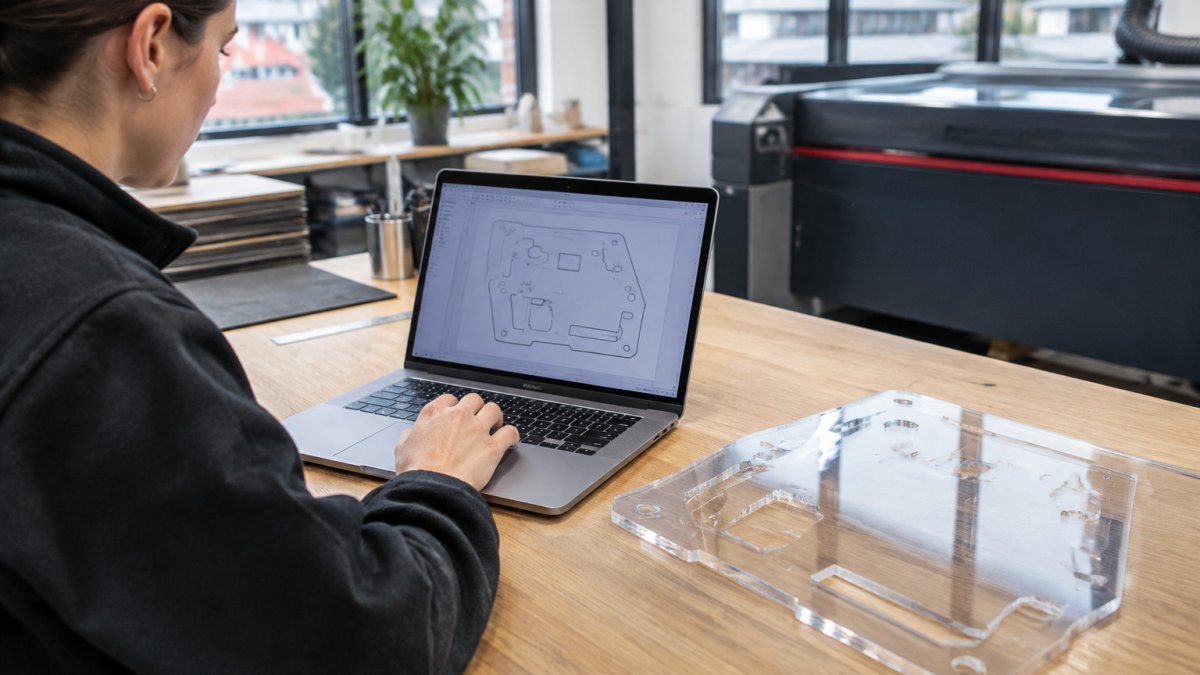
Work through these checks before you upload:
- Remove duplicate lines, stray geometry and open paths that would leave a shape uncut.
- Convert text to outlines so the font renders identically on every machine.
- Put cut lines and engrave lines on separate colours or layers so the operator can assign the right process.
- Close every shape fully, a gap of even a fraction of a millimetre can stop a profile cutting cleanly.
- Keep holes and slots at a sensible size relative to sheet thickness; a hole much smaller than the material is thick is difficult to cut cleanly and may need drilling instead.
- Leave enough space between parts and between parts and the sheet edge so the material does not distort or lose support.
- Add kerf allowance where a part must mate with another, and state the tolerance you actually need rather than defaulting to the tightest possible figure.
Watch out: a drawing that looks correct on screen can still fail because two lines overlap, a shape is not closed, or the scale was set in inches rather than millimetres, check the file at 1:1 before sending it.
A quick test cut on scrap material saves time and money on larger runs, and it is the only reliable way to confirm fit, kerf and edge quality before committing to a batch. Our team reviews files for these issues before production and explains what to change and why, so you can resubmit with confidence.
Laser Engraving Service: Marking, Branding and Personalisation
Laser engraving differs from cutting. Instead of cutting through, the beam marks the surface, leaving a permanent image, logo or text. This suits brand marks, serial numbers, names and decorative detail on items such as tags, plaques and pet accessories.
Engraving is also a strong option for personalisation. A single design can be varied for each recipient, so a batch of tags or gifts can each carry a different name.
What Drives Laser Cutting Cost and How to Compare Quotes
Price is built from a small number of drivers, and understanding them lets you compare quotes on equal terms rather than on the headline figure alone. The main drivers are material type and grade, sheet thickness, the total length of the cutting path, the number of pieces, the amount of engraving detail, any finishing such as deburring or polishing, and delivery.
Quantity also affects the price per piece, and pricing depends on quantity, dates and delivery. For current prices or a quote, see the FOG Creative website. Engraving adds time in proportion to the area covered and the detail level, and finishing adds a separate operation after cutting.
The table below sets out the main factors that shape a laser cutting quote, so you can compare offers on equal terms.
| Cost driver | Why it matters | Note |
|---|---|---|
| Material type and grade | Changes the price per sheet | Confirm the exact grade |
| Sheet thickness | Affects cutting time | Thicker stock costs more |
| Length of cutting path | Adds machine time | Longer paths cost more |
| Number of pieces | Shapes the price per piece | Quantity changes the rate |
| Amount of engraving detail | Adds time by area and detail | Engraving is priced separately |
| Finishing | Adds a separate operation | For example deburring or polishing |
| Delivery | Included in the total | Check the quote |
Booking Your Laser Cut Order: Lead Times, Prototypes and Production Runs
If you are working to a tight deadline, such as a film shoot or a launch date, get in touch early so we can discuss what is possible.
Ready to start? Contact the FOG Creative team with your design and material details, and we will help you plan the job from file to finished part.
Frequently Asked Questions
Which materials can be laser cut?
Laser cutting can be used on many sheet materials, and suitability depends on thickness and reflectivity. Ask the FOG Creative team which materials they can work with before sending a design.
What file format do I need for laser cutting?
Check the upload requirements on the FOG Creative website before you send your file.
How do I get an accurate laser cutting quote?
Pricing depends on quantity, dates and delivery. For current prices or a quote, see the FOG Creative website.
Is laser cutting suitable for small production runs?
Yes, FOG Creative can discuss small runs and larger orders. Get in touch with your expected volumes so the team can talk through options for your project.
